How I put NFSU in a browser tab
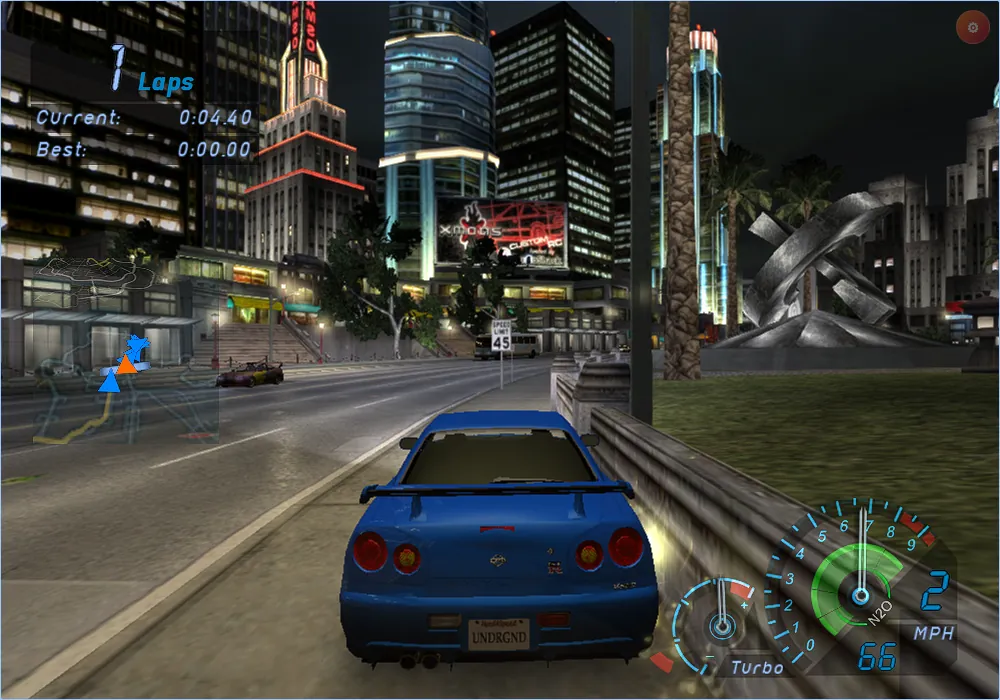
Need for Speed Underground came out on PC in 2003. Today you can open nfsu.cc, press Play and race through Olympic City at night, on a computer or a phone. There is no emulator in the middle. This is how that works, in short.
Read the game, then write it again
An emulator pretends to be an old computer and runs the game on top of that pretense. I went the other way. I read Speed.exe once, found every function inside it, and wrote each one again as C code. That C is then compiled to WebAssembly, the kind of program a browser runs natively. 13,770 functions went through that path.
The result is still the game from 2003: same physics, same rivals, same menus, same soundtrack. It just speaks a different machine language now.
Stand in for Windows
A game does not only run its own code. It also calls Windows to open files, read the keyboard and play sound, and it calls DirectX 9 to draw. None of that exists in a browser, so I rewrote the parts the game actually uses: about 14,650 lines of C that answer the game the way Windows would, with WebGPU doing the drawing.
Prove every change
Some things have to change for a game to live in a web page. The rule I kept is simple: every change is a one-line patch that names its proof in the binary, an address or a piece of the game's data. If something is not proven, it is marked as unknown and nothing gets built on top of it. That rule saved me from many guesses that looked right and were not.
Keep the music
The game data is almost 2 GB, songs and movies included. Cutting the soundtrack would have made it lighter, but the soundtrack is half of what this game is. The data is served as static files from Cloudflare, downloads once, and later visits start from the browser cache.
Try it
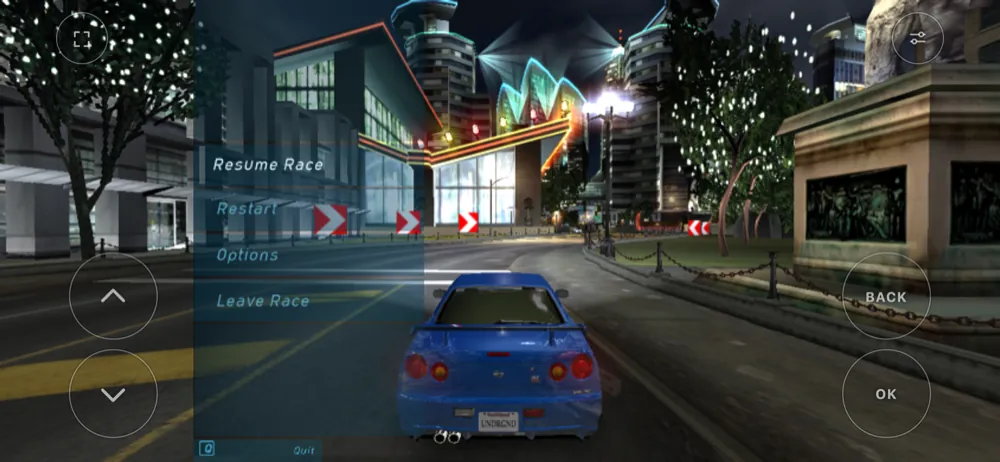
Open nfsu.cc and press Play. The code, the reverse engineering notes and longer guides are on GitHub.
Need for Speed Underground salió en PC en 2003. Hoy puedes abrir nfsu.cc, darle a Jugar y correr por Olympic City de noche, en una computadora o en el celular. No hay emulador de por medio. Así funciona, en corto.
Leer el juego y escribirlo otra vez
Un emulador finge ser una computadora vieja y corre el juego encima de ese fingimiento. Yo fui por el otro lado. Leí Speed.exe una vez, encontré cada función que tiene dentro y escribí cada una otra vez como código C. Ese C se compila a WebAssembly, el tipo de programa que un navegador corre de forma nativa. Así pasaron 13,770 funciones.
El resultado sigue siendo el juego de 2003: la misma física, los mismos rivales, los mismos menús, el mismo soundtrack. Solo que ahora habla otro lenguaje de máquina.
Hacerle de Windows
Un juego no solo corre su propio código. También le pide a Windows abrir archivos, leer el teclado y sonar, y le pide a DirectX 9 que dibuje. Nada de eso existe en un navegador, así que reescribí lo que el juego sí usa: unas 14,650 líneas de C que le contestan al juego como lo haría Windows, con WebGPU dibujando.
Probar cada cambio
Para que un juego viva en una página hay cosas que cambiar. La regla que mantuve es simple: cada cambio es un parche de una línea que dice qué lo prueba en el binario, una dirección o un pedazo de los datos del juego. Si algo no está probado, se marca como desconocido y no se construye nada encima. Esa regla me salvó de muchas suposiciones que parecían correctas y no lo eran.
Conservar la música
Los datos del juego pesan casi 2 GB, con canciones y videos. Quitar el soundtrack lo habría hecho más ligero, pero el soundtrack es la mitad de lo que es este juego. Los datos se sirven como archivos estáticos desde Cloudflare, se descargan una vez y las siguientes visitas arrancan desde la caché del navegador.
Pruébalo
Abre nfsu.cc y dale a Jugar. El código, las notas de ingeniería inversa y guías más largas están en GitHub.